CAN - Controller Area Network

Review: Huawei R4850G2 Power Supply 53.5VDC, 3kW with CAN

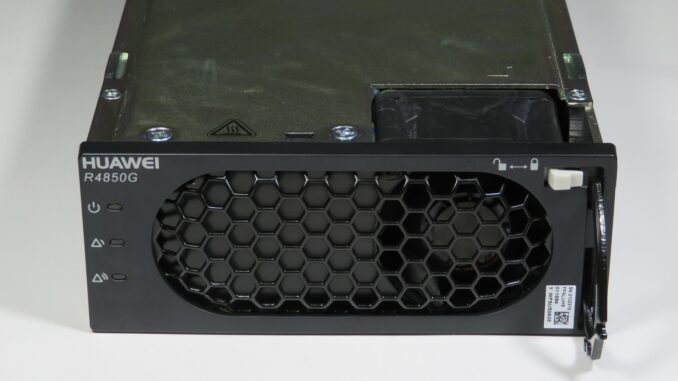
The Huawei R4850G2 is a very capable 48V Telecommunications grade power supply available brand-new at cheap surplus prices (normally under $100 USD). Rated at 3000W, it can deliver a considerable 56.1A when powered from a suitable 200-240V rated AC source. The CAN2.0B interface allows for online monitoring and/or adjustment of the output voltage and current. Given the power supply is a Telecoms spare part (most likely for a Huawei mobile phone Base Terminal Station), a surprisable amount of official documentation exists on the hardware from the manufacturer: But when it comes to the CAN communications protocol and operation, the best

Electric Vehicles

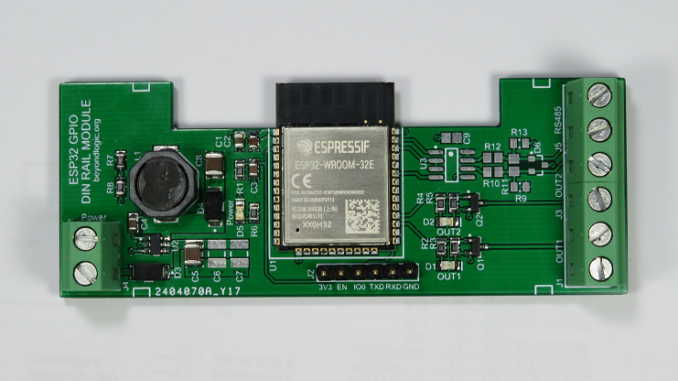
ESP32 DIN Rail Module

I’ve been wanting to automate my EV (Electric Vehicle) charging. It’s a long story for another day. I had started out with a high level RS485 interface into my EVSE (Electric Vehicle Supply Equipment) and hit some ‘bugs’. A month later, it turned out much easier to fall back to KISS principals (Keep it Simple, Stupid) and directly turn on and off the power when I needed too. While my EVSE is currently set to charge at a paltry 10 amps, I wanted something a little more robust than a cheap ESP8266 based Smart Plug adapter. Designed to a price

ESP32

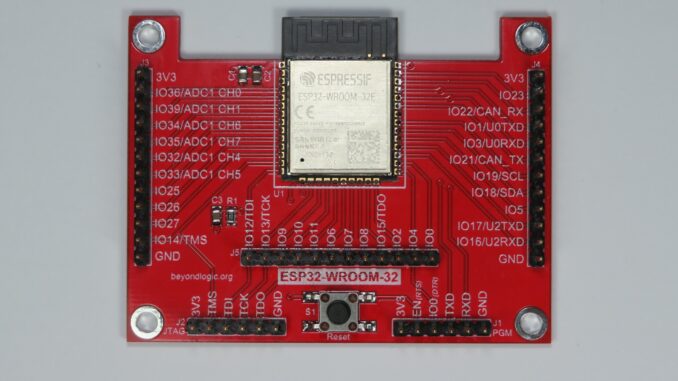
ESP32-WROOM-32 Breakout Board

Featured here is a breakout board for the Espressif Systems ESP32-WROOM modules incorporating a MCU with WiFi and Bluetooth connectivity. The board is designed to be minimalist and targeted towards battery operated devices. As such, no voltage regulator is included. For those not already familiar with the ESP32, this SoC offers the following features: Xtensa dual-core 32-bit LX6 microprocessor running up to 240MHz. 448KB rom for bootloader and core functions. 520KB SRAM (plus 16KB SRAM contained in RTC). 802.11b/g/n WiFi up to 150 Mbps. Bluetooth V4.2 BR/EDR and Bluetooth LE. 3.0 to 3.6V operation. A datasheet for the latest ESP32-WROOM-32E

ESP32

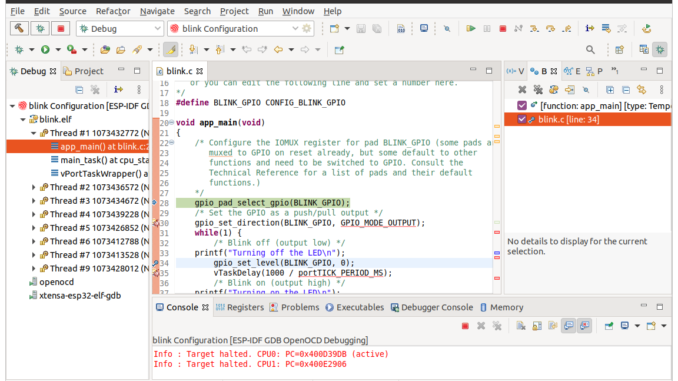
Espressif esp-idf & Eclipse IDE: Debugging with JTAG and OpenOCD

Developing ESP32 code by iteratively downloading code to your target via esptool can become laborious for anything but the smallest of projects. In addition to the UART Bootloader, the ESP32 can also be programmed and debugged via the JTAG interface. Debugging allows single stepping through your code, adding breakpoints and examining the contents of registers. Besides the rich debugging, programming over JTAG can also speed up development as the JTAG interface can be as fast as 20MHz as opposed to the serial download at a typical 460,800 bps. Setup This tutorial assumes you have Eclipse and the esp-idf set-up on

ESP32

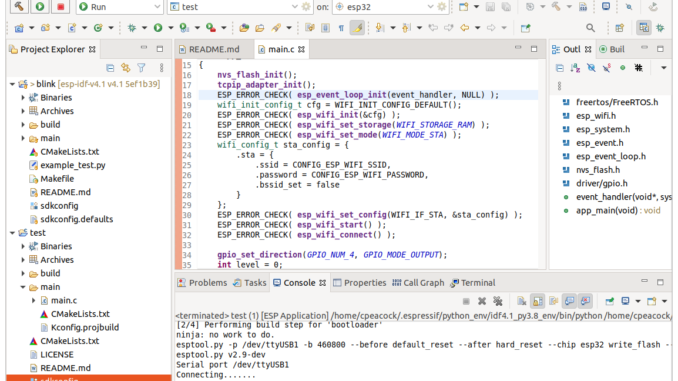
Getting Started with the Espressif esp-idf & Eclipse IDE

The Espressif IoT Development Framework (esp-idf) is the official development platform for the ESP32 and ESP32-S series of SoCs from Fabless Semiconductor designer Espressif Systems. Espresif have developed the IDF eclipse plugin to make the setup and integration of the esp-idf with the eclipse IDE simple and relatively painless. Installation consists of four main steps: Install the Eclipse IDE Install the Espressif IDF Plugin for Eclipse Download and configure the esp-idf Install the esp-idf build tools Once installed, we run through the basics: Importing an IDF project Building Flashing SDK Config This tutorial will work you through setting up Eclipse

Electronics Hardware

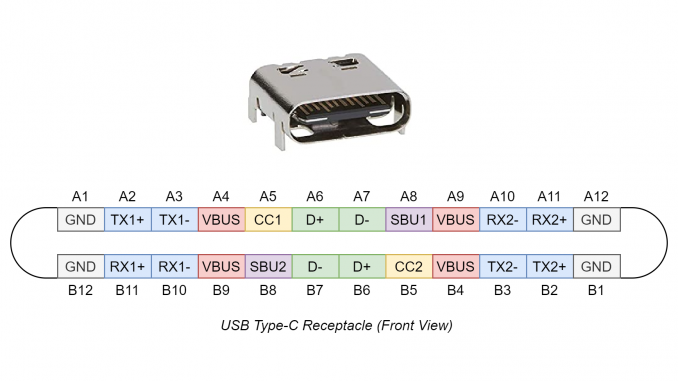
Primer: The USB-C Connector

Anyone who has used a USB Type-A plug will know the fact that it takes three attempts to successfully insert. The USB Type-C connector sets out to solve this life’s little annoyance. But it doesn’t just stop there, it also offers many other advantages: Power Delivery USB has already established itself as an industry standard for low voltage (5V Type A) power and charging. Today everything from mobile phones, portable speakers to bike lights have a USB port for charging. USB ports can now be found integrated into power points, in cars, at bus shelters and even on trains. It

Embedded Linux

ANSI C Basic Lightweight NMEA Parser for GPS

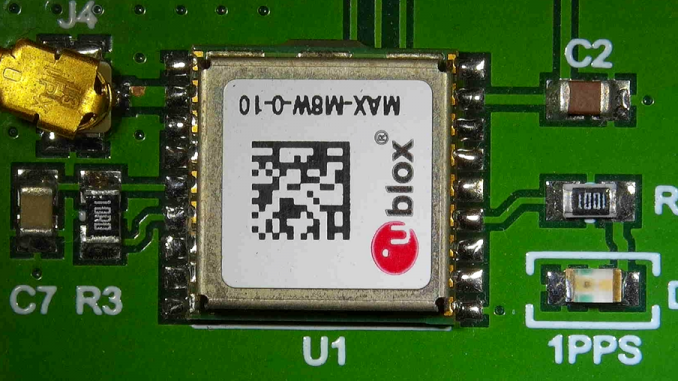
For a recent OBD2 (vehicle/fleet data-logging) project running on a Raspberry PI Zero, I needed access to GPS data – both position/speed and time. The Raspberry PI doesn’t include a Real Time Clock (RTC). Upon boot, it doesn’t know what the actual time it is, unless it has access to a network and can retrieve the time via Network Time Protocol (NTP). With the logger fitted to a vehicle, a network connection wasn’t always available for NTP. Robust, feature rich software packages currently exist such as gpsd – a GPS service daemon. gpsd can also be used used in conjunction

CAN - Controller Area Network

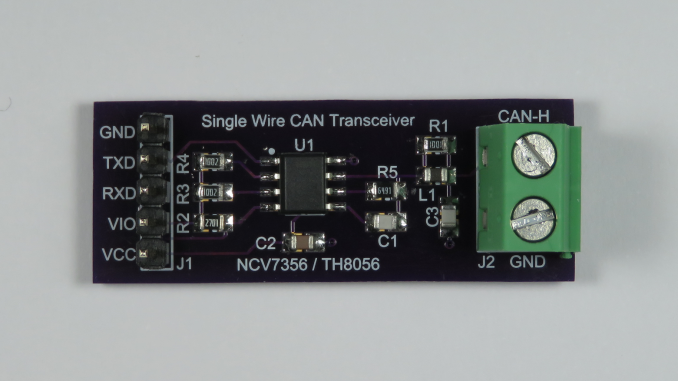
SWCAN Single Wire CAN Transceiver Breakout Board

Single Wire CAN (SAE J2411) is commonly used in cost-sensitive Automotive applications where speed and cable length is not as onerous. It is also useful in applications were a traditional CAN differential pair is physically not possible. For example, on Type 2 Mennekes connectors used for Electric Vehicle (EV) charging, the communication between the supply equipment and the vehicle is performed via a PWM signal on a single Control Pilot (CP) pin in respect to earth. Tesla has used SWCAN to digitally communicate over this single pin. Various SWCAN drivers are available and generally share the same compatible pinout (SO8 and

CAN - Controller Area Network

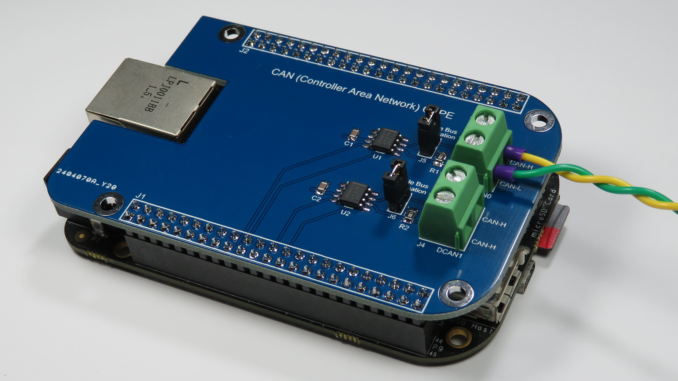
Adding CAN to the BeagleBone (Black)

The CAN bus (Controller Area Network) was originally designed by Bosch for the automotive market to connect ECUs (Engine/Electronic Control Units) together. Today, this robust communications bus is commonly found, not only in vehicles, but also on the factory floor in automation (e.g. CANOpen) and other applications such as PV solar inverter/battery Energy Storage Systems (ESS). The Sitara AM335x MCU found on the BeagleBone includes two CAN 2.0 controllers (DCAN) using IP modules from Bosch. The BeagleBone Black PCB, however, doesn’t include any CAN bus transceivers and these must be added externally. CAN Transceiver Wiring The BeagleBone Black has two DCAN ports: DCAN0

CAN - Controller Area Network

Example C SocketCAN Code

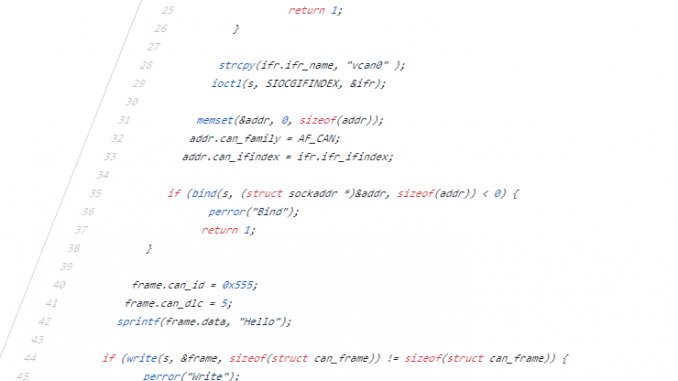
Writing user space C code to talk to CAN devices via the Linux SocketCAN interface is relatively simple and efficient. SocketCAN uses the Berkeley socket API and hence is very similar to communicating with other network socket devices. Below is a simple guide to get you started reading, writing and filtering CAN packets. Official documentation for the SocketCAN interface can be found at: https://www.kernel.org/doc/Documentation/networking/can.txt Complete code for the following examples can be found at the following GitHub repository: https://github.com/craigpeacock/CAN-Examples These examples do not include make files. To build a source file, you can simply use gcc. For example, to build

CAN - Controller Area Network

Adding CAN to the Raspberry PI

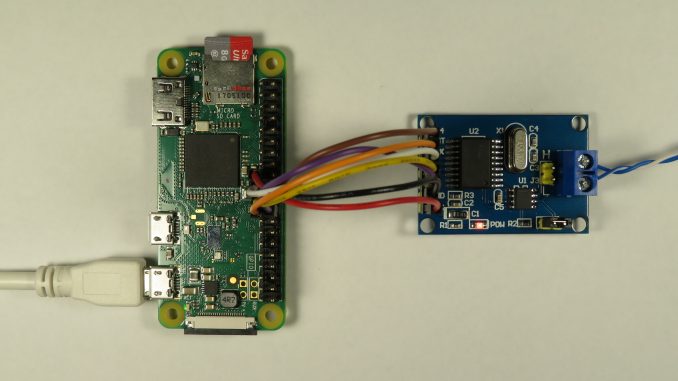
The CAN bus (Controller Area Network) was originally designed by Bosch for the automotive market to connect ECUs (Engine/Electronic Control Units) together. Today, this robust communications bus is commonly found, not only in vehicles, but also on the factory floor in automation (e.g. CANOpen) and other applications such as PV solar inverter/battery Energy Storage Systems (ESS). The Raspberry PI doesn’t natively support CAN. The Broadcom SoCs (System on a Chip) used by the Raspberry PI doesn’t include a CAN controller. The Linux kernel supports CAN and includes SocketCAN drivers for the Microchip MCP2515 Stand-alone CAN Controller with SPI Interface. Various