Electric Vehicles

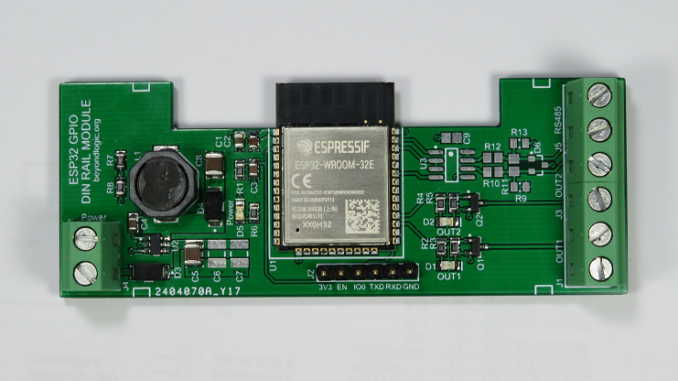
ESP32 DIN Rail Module

I’ve been wanting to automate my EV (Electric Vehicle) charging. It’s a long story for another day. I had started out with a high level RS485 interface into my EVSE (Electric Vehicle Supply Equipment) and hit some ‘bugs’. A month later, it turned out much easier to fall back to KISS principals (Keep it Simple, Stupid) and directly turn on and off the power when I needed too. While my EVSE is currently set to charge at a paltry 10 amps, I wanted something a little more robust than a cheap ESP8266 based Smart Plug adapter. Designed to a price

ESP32

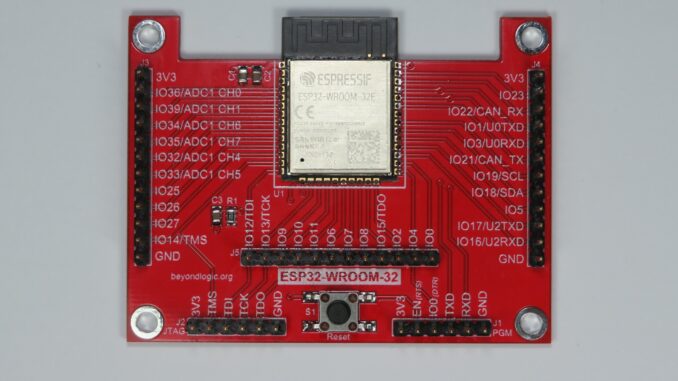
ESP32-WROOM-32 Breakout Board

Featured here is a breakout board for the Espressif Systems ESP32-WROOM modules incorporating a MCU with WiFi and Bluetooth connectivity. The board is designed to be minimalist and targeted towards battery operated devices. As such, no voltage regulator is included. For those not already familiar with the ESP32, this SoC offers the following features: Xtensa dual-core 32-bit LX6 microprocessor running up to 240MHz. 448KB rom for bootloader and core functions. 520KB SRAM (plus 16KB SRAM contained in RTC). 802.11b/g/n WiFi up to 150 Mbps. Bluetooth V4.2 BR/EDR and Bluetooth LE. 3.0 to 3.6V operation. A datasheet for the latest ESP32-WROOM-32E

ESP32

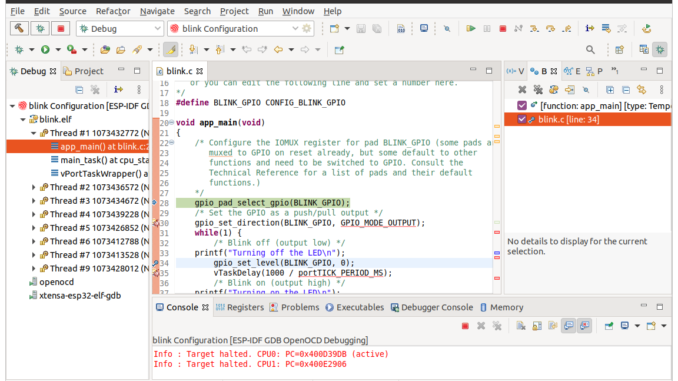
Espressif esp-idf & Eclipse IDE: Debugging with JTAG and OpenOCD

Developing ESP32 code by iteratively downloading code to your target via esptool can become laborious for anything but the smallest of projects. In addition to the UART Bootloader, the ESP32 can also be programmed and debugged via the JTAG interface. Debugging allows single stepping through your code, adding breakpoints and examining the contents of registers. Besides the rich debugging, programming over JTAG can also speed up development as the JTAG interface can be as fast as 20MHz as opposed to the serial download at a typical 460,800 bps. Setup This tutorial assumes you have Eclipse and the esp-idf set-up on

ESP32

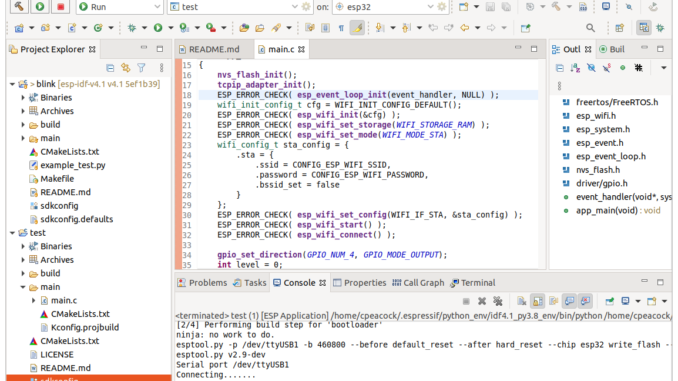
Getting Started with the Espressif esp-idf & Eclipse IDE

The Espressif IoT Development Framework (esp-idf) is the official development platform for the ESP32 and ESP32-S series of SoCs from Fabless Semiconductor designer Espressif Systems. Espresif have developed the IDF eclipse plugin to make the setup and integration of the esp-idf with the eclipse IDE simple and relatively painless. Installation consists of four main steps: Install the Eclipse IDE Install the Espressif IDF Plugin for Eclipse Download and configure the esp-idf Install the esp-idf build tools Once installed, we run through the basics: Importing an IDF project Building Flashing SDK Config This tutorial will work you through setting up Eclipse